Verified 2026 SARS Protocol by Heinrich Grove (SAIPA)
The Complete 4-Step Preparation
Before you can apply for a VAT number, you must ensure your SARS eFiling profile is correctly registered and your company is linked to you as the official representative. Watch our step-by-step video guides below to complete the setup.
Register on eFiling
Activate Representative
Link the Company
Apply for VAT
The "Biometrics Loop" Warning
Honest Advice: This process is currently causing huge frustration for accountants and business owners.
- The system often blocks you, forcing you to do facial biometrics first.
- Most people get stuck because the "Manage Access Request" menu is hidden.
- SARS will try to phone you 3 times after submission. If you miss these calls, they reject the application.
Voluntary Registration
Minimum R120,000 in taxable supplies generated in the past 12 months (or signed contracts proving future turnover). Requires proof of invoiced income.
Compulsory Registration
Mandatory once taxable turnover exceeds (or is contractually expected to exceed) R2.3 million within a 12-month period.
Detailed Screenshot Guide for Step 4
If you prefer reading, follow along with our screenshots below to complete the actual VAT101/RAV01 application form on eFiling.
Log In & Select Organisation
Log in to eFiling. Ensure you select "Organisations" in the top menu, not "Home" (which is for individuals).

Navigate to Registered Details
On the left-hand menu, click on SARS Registered Details.
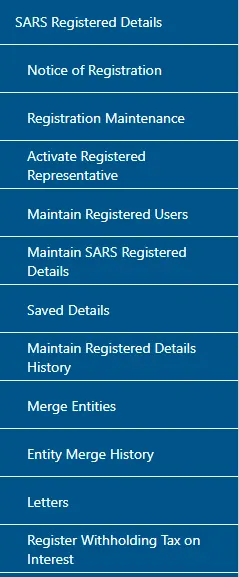
Maintain Details
In the sub-menu, click Maintain SARS Registered Details. A screen will appear asking you to agree to the terms.
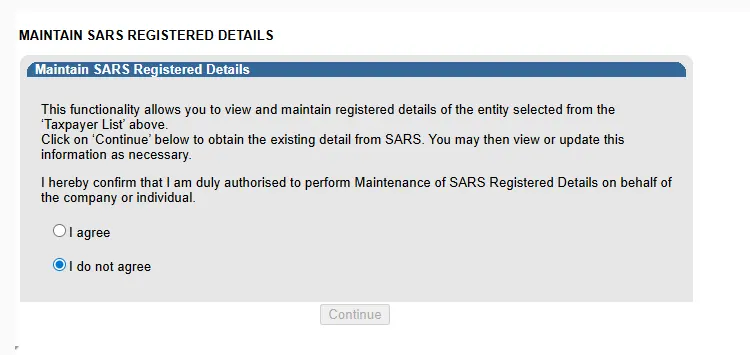
The Biometrics Block
Critical Step: At this point, the system often blocks you. You cannot proceed until you complete the biometrics.
The Fix: Open a new tab, go to the eFiling public homepage (unlogged), and click "Manage Access Requests".
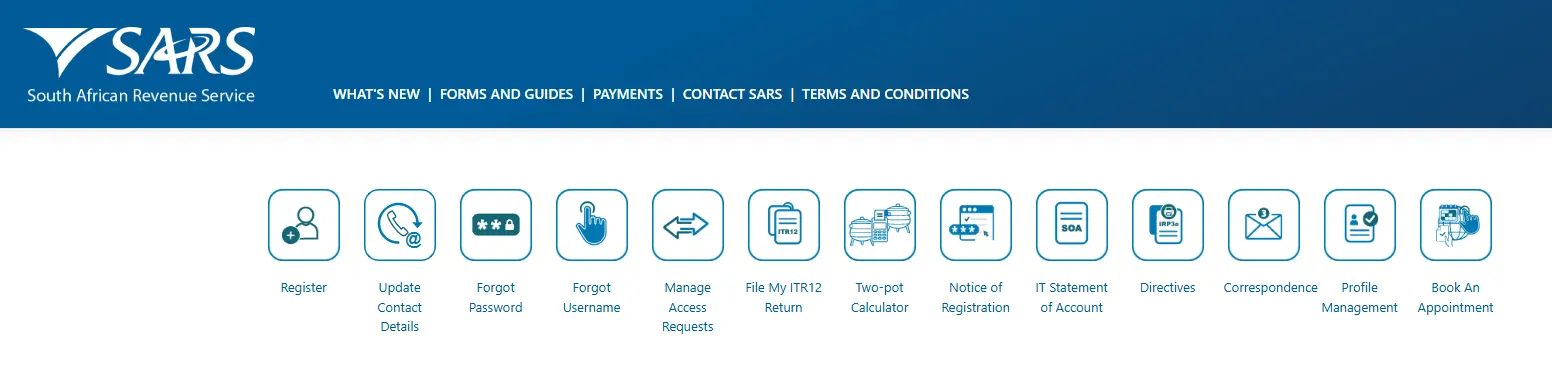
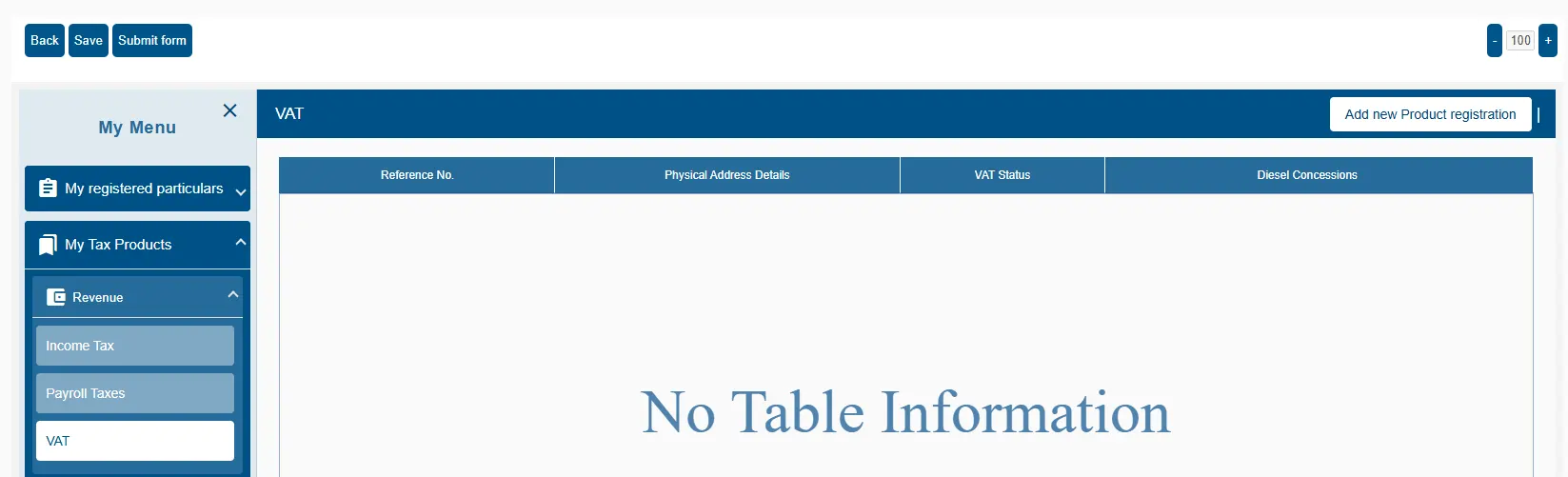
Select VAT Product
Once inside the RAV01 form, navigate to My Tax Products → Revenue → VAT.
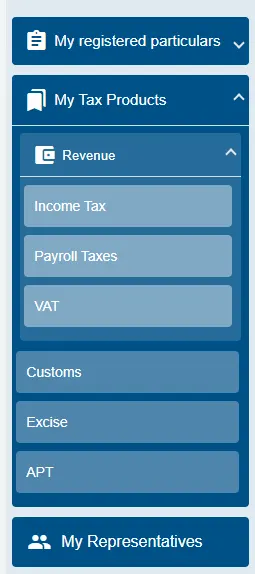
Add New Registration
Click the button "Add new Product registration" on the top right.
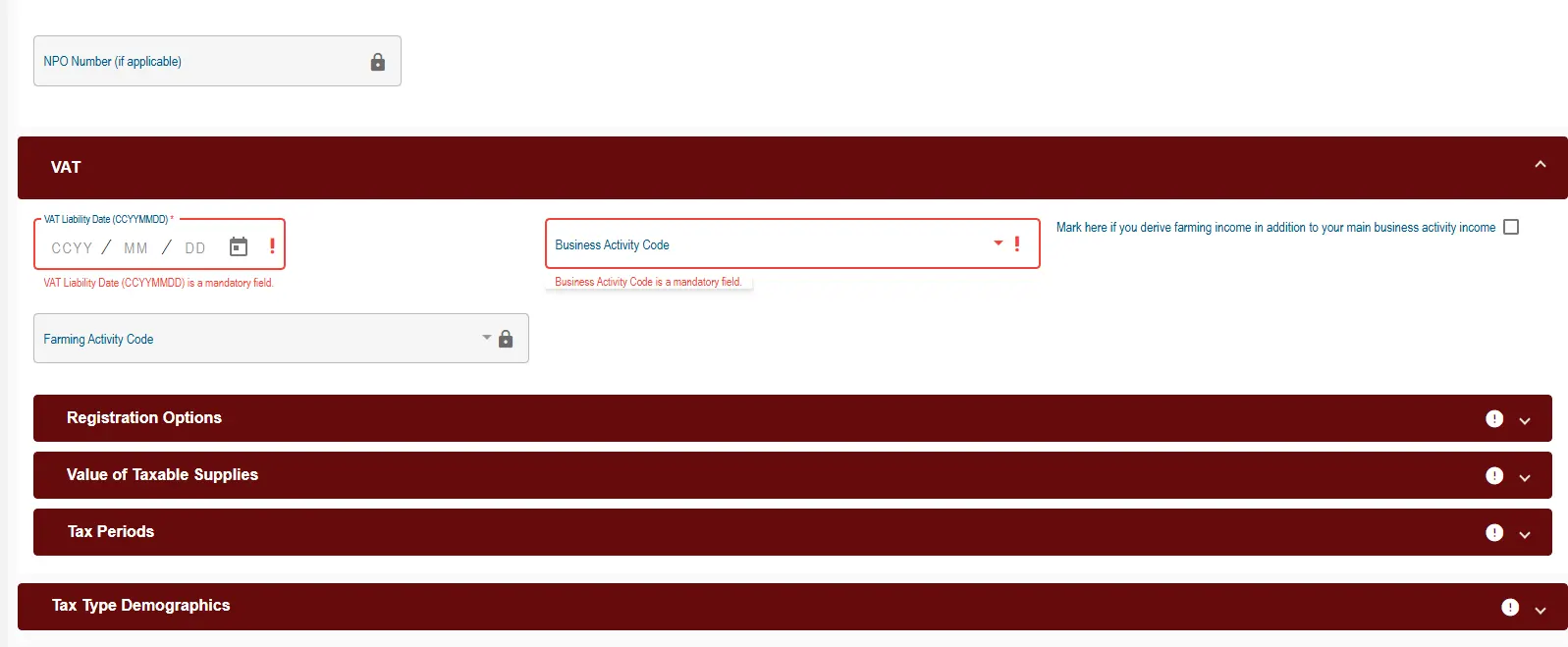
Complete the RAV01 Form
The VAT container will open (Red Bar). You must complete the Liability Date and Business Activity Code accurately.
Mandatory SARS VAT101 Document Pack
Ensure all documents are clear, certified (where applicable), and under 5MB before submitting on eFiling:
Submission & The Waiting Game
Once you submit, SARS creates a case.
- Step A: Check "Correspondence" for a letter requesting documents.
- Step B: Upload documents (Bank statements, ID, Proof of Address) immediately.
- Step C: Answer your phone! SARS will attempt to call you 3 times to verify details. If you miss them, they reject the case.
Final Step: Link the Tax Type
Do not forget this! Once you receive your VAT number, it does not automatically appear on your profile. You cannot file returns until you do this:
- Go to Organisations (Top Menu).
- Select Organisation → Tax Types (Left Menu).
- Select Manage Tax Types.
- Check the box for VAT (201) and enter your new VAT number.
- Click Submit. Now you can access your returns.

Heinrich Grove — Professional Accountant (SA)
SAIPA Member & Registered Tax Practitioner specializing in South African corporate compliance and SARS dispute resolution.
We can help (but we can't speed it up)
We can handle the paperwork, the correct codes, and the document uploads for you. However, please note that the biometrics and SARS phone interview must be done by you (the director).
Contact Us for Assistance